
FOR SMALL BUSINESS OWNERS, FREELANCERS AND ADMIN PROFESSIONALS READY TO AUTOMATE REPETITIVE WORK
AI Automation for Beginners — Automate the Repetitive, Keep the Judgement Human
- 30 chapters, 83 pages
- Companion workbook + 18-checklist pack + bonus resources
- 30 hands-on worksheets, from your first automation to your 30-day plan
- Instant digital download
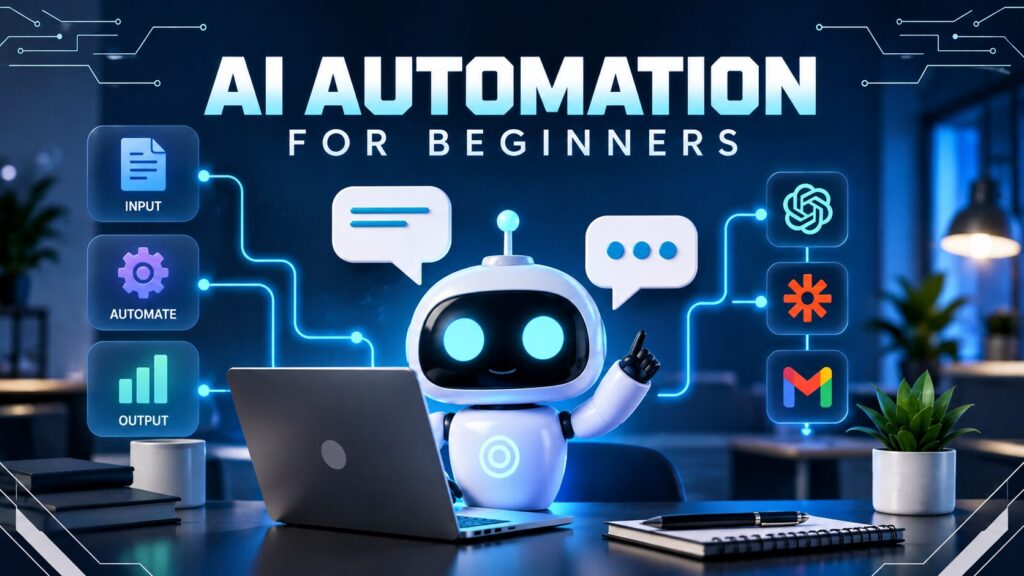
A practical, 30-chapter guide to no-code AI automation — triggers, actions, AI steps, branching, human approval and error handling — built around one genuine small business, so you see exactly how it all fits together.
Not “automate everything with AI.” A repeatable, safe system for removing genuinely repetitive work — and knowing exactly which decisions a person should always keep.
Secure checkout. Instant digital delivery — download links arrive by email right after payment.
Everyone Says “Automate With AI” — Nobody Says What's Actually Safe to Automate
Most small businesses don't fail with automation because the tools are hard to use — they fail because nobody ever showed them how to score a task properly, build safely, or know which decisions should never leave a person's hands.
Automating the Wrong Thing
Without a way to score a task first, it's easy to automate something unstable or high-stakes — and end up with a workflow that breaks constantly or makes a decision that should have stayed with a person.
No Idea Where AI Should Stop
An AI step that drafts a reply is genuinely useful. An AI step that sends it, refunds money, or replies to a complaint on its own is a real risk — and nobody ever draws that line clearly.
Automations That Break Silently
Without proper testing, error handling and a named owner, a broken automation can quietly lose real customer enquiries for days before anyone notices something's wrong.
From “I Should Probably Automate This” to a Genuine, Safely Built System
By the end of the course, you'll have one real automation — scored, mapped, built, tested beyond the happy path, permission-scoped, and assigned an owner — plus a 30-day plan for building the next one.
- A repeatable way to score any task for genuine automation suitability, before you build anything
- A tested, working automation with a constrained AI step, proper filters, and a branch with a catch-all
- A clear understanding of where AI should stop, and how to build a genuine human-approval gate
- Error handling and a monitoring routine, so a broken automation never fails silently again
- A completed project checklist and your own 30-Day Automation Implementation Plan
Course Curriculum
Thirty chapters, built to be worked through in order — each one building on the structured fields and building blocks introduced early in the course.
01What Automation Actually Means▾
A simple definition of automation, and BrightNest's enquiry process rewritten with it.
- A Simple Definition
- Business Scenario — BrightNest's Enquiry Process
02Traditional Automation vs AI Automation▾
Two different logics, and what AI genuinely adds to a workflow.
- Two Different Logics
- The Same Enquiry, Two Ways
- Business Scenario — What BrightNest Actually Gains
03The Building Blocks of an Automation▾
Nine terms, from trigger to output, and reading any workflow diagram.
- Nine Terms, One Vocabulary
- Condition vs. Filter
- Business Scenario — All Nine Blocks at BrightNest
04Choosing What to Automate▾
Four questions that separate a genuine automation candidate from a poor one.
- Four Questions Worth Asking First
- Good Candidate, Poor Candidate
- Business Scenario — Scoring BrightNest's Task List
05Mapping a Process Before Automating It▾
A five-step method for mapping a manual process before building anything.
- Why Mapping Comes First
- A Simple Mapping Method
- Business Scenario — Mapping BrightNest's Booking Process
06Choosing a No-Code Automation Platform▾
Five practical criteria for choosing a platform, without recommending just one.
- Five Criteria That Matter More Than the Name
- The Concepts Transfer, Even When the Platform Doesn't
- Business Scenario — BrightNest Compares Two Options
07Your First Automation▾
Building a real, tested trigger-to-action automation from scratch.
- A Five-Step Build Process
- Business Scenario — Building BrightNest's First Automation
- Testing Before Going Live
08Adding an AI Step▾
Upgrading a non-AI automation with one constrained AI step.
- Upgrading Chapter 7's Workflow
- Prompt Design Inside Automation
- Business Scenario — BrightNest Adds an AI Step
09Structured AI Outputs▾
Why named, structured fields make an AI step's output usable, not just readable.
- Free Text vs. Structured Fields
- Designing Output Fields
- Business Scenario — Naming BrightNest's Output Fields
10Filters & Conditions▾
Writing real filter and condition rules, and combining them with AND/OR.
- Writing a Filter Rule
- Writing a Condition
- Combining Rules with AND/OR
11Branching Workflows▾
Building a complete multi-path branch, including a catch-all.
- From Two Paths to Many
- Designing a Complete Branch
- Business Scenario — BrightNest's Full Enquiry Branch
12Automating Email Workflows▾
Common email triggers, and personalising templates with merge fields.
- Common Email Triggers
- Personalising a Template With Merge Fields
- Business Scenario — BrightNest's Booking Confirmation Email
13AI Email Triage▾
Using AI to sort a shared inbox, without ever letting it reply on its own.
- From Sending Email to Reading It
- Designing a Triage Instruction
- Business Scenario — Triaging BrightNest's Shared Inbox
14Automating Customer Support Tasks▾
One consistent ticket record, and AI-drafted replies a person always sends.
- One Ticket, Many Channels
- AI-Drafted, Human-Sent
- Business Scenario — BrightNest's Ticket Workflow
15Automating Leads & Sales Enquiries▾
Scoring leads automatically, and a capped follow-up sequence.
- Scoring a Lead Automatically
- A Simple Follow-Up Sequence
- Business Scenario — BrightNest's Quiet Leads
16Automating Social Media & Content Workflows▾
What's safe to automate in social media, and what always needs a human.
- What's Safe to Automate
- AI-Drafted Content, Human-Published
- Business Scenario — Priya's Monthly Content Workflow
17Automating Documents & Meeting Notes▾
Generating routine documents, and turning a meeting into real action items.
- Generating Documents From Structured Data
- AI Meeting Summaries
- Business Scenario — BrightNest's Weekly Team Meeting
18Automating Spreadsheet & Data Tasks▾
Flagging missing data and duplicates automatically, without ever deleting anything.
- Common Spreadsheet Automations
- Business Scenario — Keeping BrightNest's Booking Sheet Clean
19Automating Research▾
What AI research automation can be trusted to do, and the risk of hallucination.
- What Research Automation Can and Can't Do
- Designing a Research Instruction
- Business Scenario — Comparing BrightNest's Suppliers
20Adding Human Approval▾
A genuine approval gate that pauses an automation until a person says yes.
- Review vs. Approval Gate
- Designing an Approval Gate
- Business Scenario — BrightNest's Refund Approval Gate
21Delays, Scheduling & Follow-Ups▾
Three kinds of delay, including one that respects business hours.
- Types of Delays
- Business Scenario — BrightNest's Business-Hours Escalation
22Error Handling▾
Why a silent failure is dangerous, and when to retry versus stop safely.
- What Happens When a Step Fails
- Retry vs. Stop Safely
- Business Scenario — BrightNest's Failed Email Step
23Testing Automations Properly▾
A proper test plan covering the happy path, edge cases and simulated failures.
- Beyond the Happy Path
- A Simple Test Plan
- Business Scenario — BrightNest's Enquiry Test Plan
24Privacy, Security & Permissions▾
Least-privilege access, and what an automation should never handle.
- Least-Privilege Access
- What Not to Expose
- Business Scenario — Auditing BrightNest's Permissions
25Monitoring & Maintaining Automations▾
What breaks an automation over time, and a simple ownership routine.
- What Breaks an Automation Over Time
- A Simple Monitoring Routine
- Business Scenario — Assigning an Owner at BrightNest
26Measuring Whether Automation Is Worth It▾
Honest metrics that reveal whether an automation is actually worth it.
- Metrics That Actually Mean Something
- Business Scenario — BrightNest's Three-Month Review
27Combining Multiple Automations▾
Mapping how separate automations already connect through shared fields.
- How BrightNest's Automations Already Connect
- The Risk of Chaining Automations
- Business Scenario — BrightNest's Connected System
28Automation vs AI Agent▾
The core difference between a fixed automation and a genuine AI agent.
- Fixed Steps vs. Dynamic Decisions
- Business Scenario — Two Ways to Handle a Complaint
29Build Your Own AI Automation▾
The full project checklist, applied to your own real automation.
- Your Project Checklist
- Business Scenario — BrightNest's Capstone Automation
3030-Day Automation Implementation Plan▾
A realistic four-week rollout plan for everything covered.
- The Plan, Week by Week
- Business Scenario — BrightNest's Own 30-Day Rollout
What's Included
Everything you need to genuinely automate repetitive work this month — not another list of automation ideas to try once.

Course Ebook
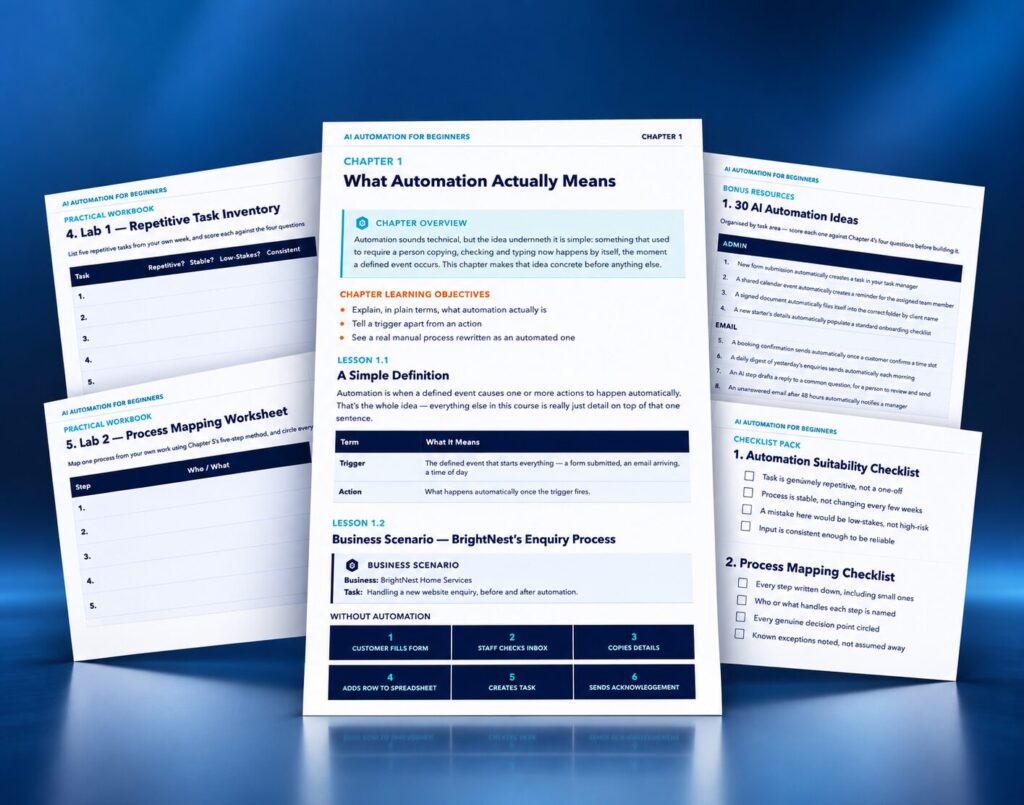
The full 30-chapter course, following one consistent fictional business — BrightNest Home Services — through building a complete, connected automation system.
- 30 chapters, 83 pages
- One consistent fictional business throughout
- A platform-agnostic approach that works with any no-code automation tool
- Full chapters on human approval, error handling, and privacy & permissions

Practical Workbook
30 worksheets matching every chapter, so you score, map, build and test your own real automation rather than just reading about someone else's.
- Automation Opportunity Audit and Process Mapping worksheets
- Trigger & Action Builder, AI Step Planner and Branching Logic worksheets
- Human Approval Planner, Error Handling and Test Case Builder worksheets
- Your own Final Automation Blueprint and 30-Day Implementation Plan

Checklists, Templates & Final Assessment
18 quick-reference checklists, 12 bonus resources including 30 automation ideas and 11 blank templates, and a full final assessment with a separate, fully explained answer guide.
- 18 on-the-day checklists, from task scoring through to final go-live
- 30 AI automation ideas across 8 task areas, plus 11 blank planning templates
- A complete Final Automation Design Challenge with a full model response
- 25 assessment questions across five formats, fully answered separately

Certificate of Completion
A downloadable certificate to mark that you've finished the course — a genuine addition to your CV and LinkedIn profile.
- PDF format, ready to save or print
- Personalised with your name and completion date
Delivered as digital files viewable on any device. Estimated course completion time: around 9–11 hours, plus your own hands-on automation-building time.
- Course Ebook
- Practical Workbook
- Checklists, Templates & Final Assessment
- Certificate of Completion
Secure checkout. Instant digital delivery — download links arrive by email right after payment.
Includes lifetime access.
Trending Products









Frequently Asked Questions
No. This is a no-code automation course — it teaches the concepts (triggers, actions, AI steps, filters, branching) that work on any no-code automation platform, without writing a single line of code.
No, and that's deliberate. The techniques are taught through custom diagrams and worked examples rather than one platform's interface, so they work whichever no-code platform you choose, and keep working if you switch platforms later.
You'll receive seven PDF files: the course ebook, the practical workbook, the checklist pack, the bonus resources pack, the final assessment, a separate answer and model response guide, and a certificate of completion — instantly after checkout.
No genuine course can promise that, and this one doesn't claim to. What it gives you is a responsible, repeatable way to score, build, test and monitor an automation safely — the actual time saved depends on your own business and how consistently you apply what you learn.
Ready to Build a Genuinely Safe Automation System?
Get the full course, workbook, checklist pack, bonus resources, final assessment, answer guide and certificate — and build one properly scored, tested and monitored automation this month.
Secure checkout. Instant digital delivery — download links arrive by email right after payment.