- You cannot add another "Build a Freelance Portfolio Website" to your cart. View cart
Website & App
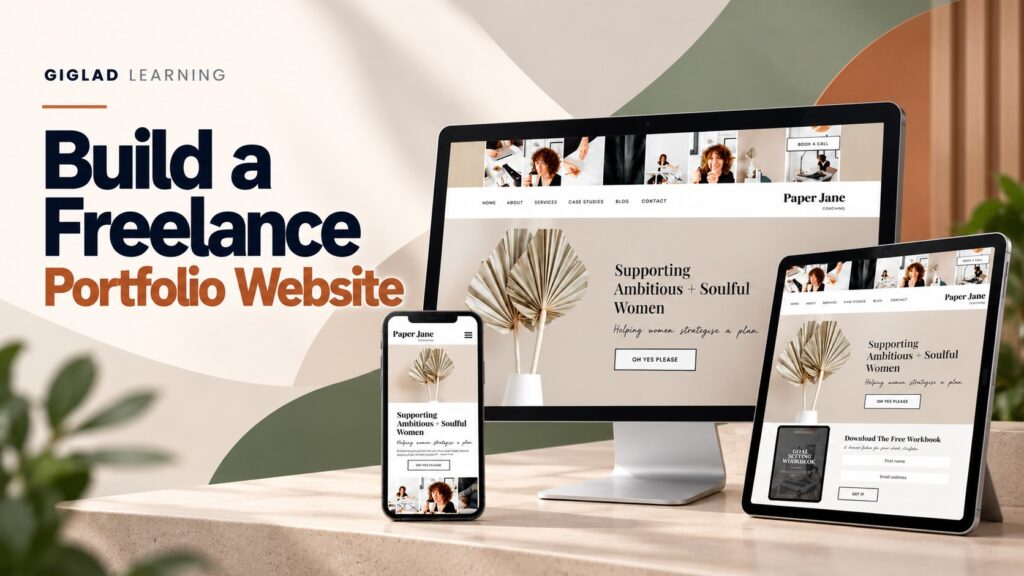
Build a Freelance Portfolio Website — Plan, Build and Launch a WordPress Portfolio That Wins Client Work
- 8 modules, 36 short lessons
- Fillable workbook included
- Checklists, templates & copy bank
- Instant digital download
A practical, 8-module course that takes you from a blank plan to a live, tested WordPress portfolio — with a fillable workbook, checklists & templates, bonus resources and a final assessment included.
No coding, no guesswork — one clear path from idea to a professional portfolio that shows who you help, what you've done and what to do next.
Secure checkout. Instant access from your dashboard as soon as payment clears.
A Freelancer Without a Real Portfolio Is Invisible
Your best work is good enough to win clients, but if it's scattered across a camera roll, a few social posts and an out-of-date PDF, nothing online proves it. Prospective clients can't hire what they can't see.
Work Scattered Across Social Media and PDFs
A strong Instagram grid or a one-off PDF isn't a portfolio a client can browse, trust and come back to — and it does nothing for how findable you are.
A Pretty Gallery That Doesn't Bring Enquiries
A portfolio that shows the work but never says who it's for, why to trust you or what to do next looks impressive and quietly loses the client.
Not Enough Finished Client Work to Show Yet
Most beginners assume they need years of client history before they can build a portfolio. Honest, clearly labelled concept projects can fill the gap professionally.
From Blank Plan to a Live, Working Portfolio
By the end of the course you won't just have notes. You'll have a real, published WordPress portfolio, built and checked module by module.
- A clear plan: your ideal client, value proposition, five client questions and sitemap
- A correctly configured WordPress site with HTTPS, a front page and a header menu
- A homepage, honest case studies, and Services, About and Contact pages, each with one clear next step
- A site checked on desktop, tablet and mobile, readable, accessible and tested
- A launched, findable portfolio with a simple routine to keep it current
Course Curriculum
Eight modules and 36 short lessons, built to be worked through in order. Every module ends with a practical activity and a knowledge check, all following one fictional example, Maya Bennett Creative.
01Module 1: Plan a Portfolio That Wins Clients▾
Decide who the portfolio is for, what it says and which pages it needs: ideal client, value proposition, the five questions every client asks, and a sitemap.
- What a Freelance Portfolio Is For
- Your Ideal Client, Main Service and Value Proposition
- The Five Questions and the Visitor Journey
- Your Sitemap and Navigation Plan
02Module 2: Prepare Your Brand, Content and Projects▾
Gather the domain, simple brand choices, your introduction, an honest project shortlist and real proof before you build anything.
- A Domain Name and a Simple Visual Identity
- A Concise Professional Introduction
- Choosing Your Strongest Projects
- Trust Signals and Organising Your Files
03Module 3: Set Up WordPress▾
Set up a clean WordPress site: HTTPS, the settings that matter, a lightweight theme, five core pages, the front page and a header menu.
- Domain, Hosting and HTTPS
- Installing WordPress and Finding the Dashboard
- Settings to Change First
- Choosing a Theme and Avoiding Plugin Clutter
- Creating Your Core Pages and Setting the Front Page
- Building Your Header Menu
04Module 4: Build the Homepage▾
Build a homepage that earns the next click: hero, introduction, services, selected work, a trust signal and one clear call to action.
- The Role of the Homepage
- A Strong Hero Section
- Introducing Yourself and Presenting Services
- Selected Projects and a Trust Signal
- A Final Call to Action, and Keeping It Simple
05Module 5: Build the Portfolio and Case Studies▾
Build a gallery and case studies using Challenge, Approach and Outcome, with honest proof and honestly labelled concept work.
- Structuring the Portfolio Gallery
- Gallery Versus Case Study
- Writing a Case Study, and Showing Results Honestly
- Honest Concept Work, Images and Project Pages
06Module 6: Services, About and Contact Pages▾
Write the Services, About and Contact pages that turn interest into an enquiry, each with one clear next step.
- Writing a Useful Services Page
- Showing Prices or “Starting From” Rates
- Writing a Credible About Page
- A Contact Page That Qualifies Enquiries
- Calls to Action Across the Site
07Module 7: Mobile, Accessibility and Website Quality▾
Check the site on desktop, tablet and mobile, make it readable and accessible, test it properly and run a pre-launch quality check.
- Checking Desktop, Tablet and Mobile
- Readable Text, Contrast and Alternative Text
- Testing Links, the Contact Form, Speed and Spelling
- Privacy and the Pre-Launch Quality Check
08Module 8: Publish, Get Found and Maintain the Site▾
Go live, switch the site on for search engines, announce it, and keep it current with a simple monthly and quarterly routine.
- Going Live
- Titles, Descriptions and Search Console
- Announcing Your Site and Sending It to Prospects
- Maintaining the Site and Your 30-Day Plan
What's Included
Everything you need to plan, build, launch and maintain your portfolio.

Course Ebook
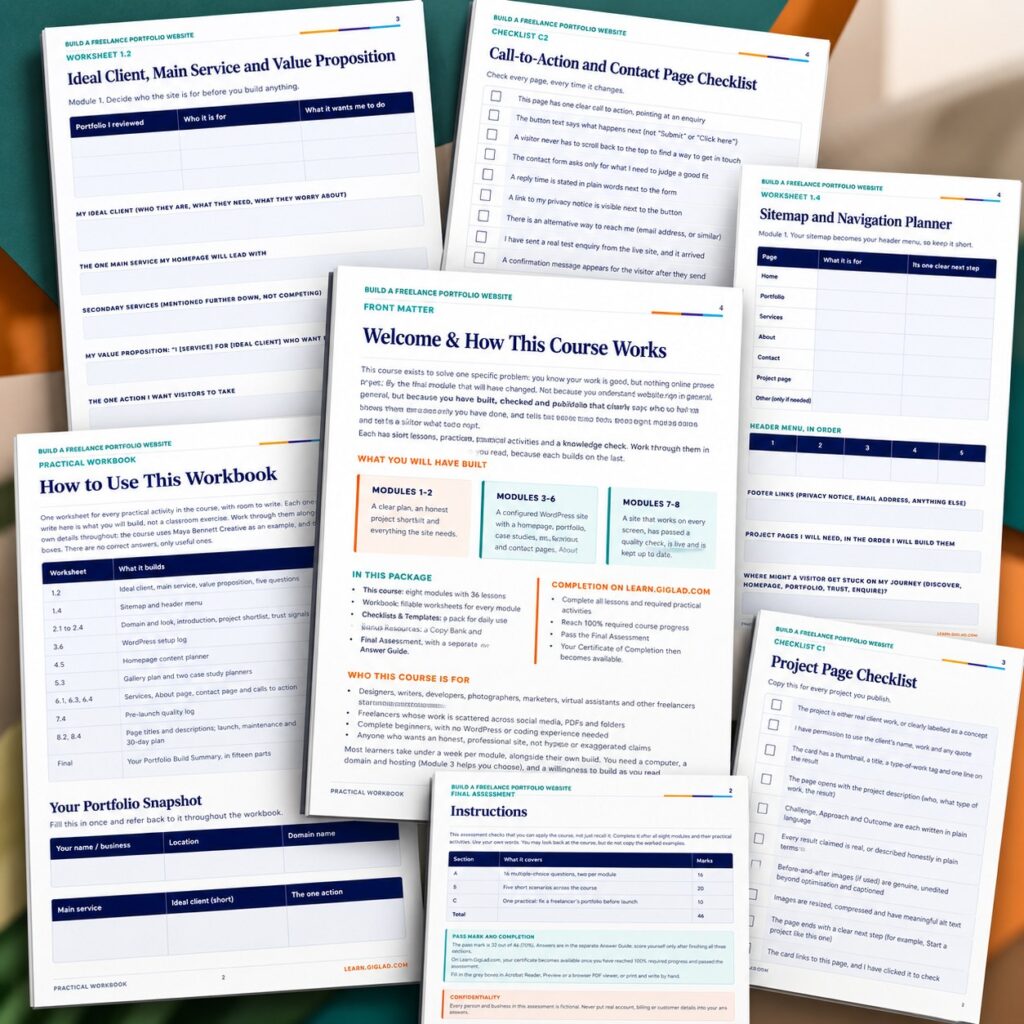
Eight modules and 36 short lessons covering planning, preparation, WordPress setup, the homepage, case studies, services, About and contact pages, quality checks and launch.
- 8 modules, 36 short lessons
- One continuous fictional worked example (Maya Bennett Creative), start to finish
- Real WordPress screenshots, a demonstration website and original diagrams, each clearly labelled
- A Final Practical Project (Portfolio Build Summary) and a glossary

Practical Workbook
21 pages of fillable worksheets that build your real portfolio, one for every practical activity, plus a fifteen-part Portfolio Build Summary.
- A worksheet for every practical activity, fully fillable
- Sitemap, homepage, case study and services planners
- Pre-launch quality log and 30-day plan
- Fifteen-part Portfolio Build Summary

Checklists, Templates & Bonus Copy Bank
A reusable checklists & templates pack, plus a bonus Website Copy Bank and Portfolio Maintenance Planner.
- 7 fillable checklists and 3 templates (project description, testimonial request, privacy notice outline)
- Website Copy Bank with 12 fill-in prompts
- Outreach messages for your launch and prospects
- Monthly check log, quarterly review card and change log

Final Assessment & Certificate
A 46-mark final assessment with a separate answer guide. Pass it and your Certificate of Completion is issued automatically in your Learn.GigLad.com dashboard.
- 16 multiple-choice questions, five scenarios and a practical task
- Separate Answer Guide with marking points and model answers
- Certificate issued on Learn.GigLad.com when you pass
Delivered as digital files viewable on any device. Fillable fields work best in Adobe Acrobat Reader, Preview or a browser PDF viewer. Estimated course completion time: around 5 to 6 hours of reading and worksheets, plus your own website build time.
Prove It, Then Get Your Certificate
- 1Complete all required lessons
- 2Complete all required practical activities
- 3Reach 100% required progress
- 4Pass the Final Assessment — 16 multiple-choice questions, 5 short scenarios, 1 practical task (70% pass mark, retakes allowed)
- 5Your Certificate of Completion becomes available

Is This For You?
This is for you if you're:
- Freelancers starting a portfolio: designers, writers, developers, photographers, marketers and virtual assistants
- Freelancers whose work is scattered across social media, PDFs and folders
- Complete beginners with no WordPress or coding experience
- Anyone who wants an honest, professional site, not hype or exaggerated claims
Probably not for you if you're:
- Looking for a guaranteed flow of clients (no course can promise that)
- Wanting to learn a specific page builder or hosted builder such as Wix or Squarespace
- Needing an online shop, booking system or membership site
- Wanting custom code or theme development
GigLad
GigLad publishes practical, action-based digital courses with worked examples, fillable workbooks and a final assessment. Each course follows one fictional example from start to finish, so you see a complete method applied, and none promises results it cannot control.
What You Get
- Course Ebook
- Practical Workbook
- Checklists, Templates & Bonus Copy Bank
- Final Assessment & Certificate
Secure checkout. Instant access from your dashboard as soon as payment clears.
Includes lifetime access.
Trending Products




Frequently Asked Questions
No. The course is written for complete beginners — designers, writers, developers, photographers, marketers, virtual assistants and anyone else starting a freelance portfolio.
Six PDF files: the course ebook, the companion workbook, the checklists & templates pack, the bonus resources pack, the final assessment and a separate answer guide. When you pass the assessment, your certificate of completion is issued on Learn.GigLad.com.
No. It applies to any self-hosted WordPress site using a modern, lightweight block theme and the built-in editor. It doesn't rely on any single paid page builder.
No. This is an independent educational resource created by GigLad and is not affiliated with, endorsed by, or sponsored by WordPress, Automattic or the WordPress Foundation. The WordPress screens are real screenshots from a test site; every other image is labelled as a demonstration website, a diagram or an illustrative recreation.
Ready to Build a Portfolio That Actually Wins You Work?
Get the full course, workbook, checklists, templates, bonus resources and final assessment — and turn your best work into a website clients can find and trust.
Secure checkout. Instant access from your dashboard as soon as payment clears.