Beginner · IT Support
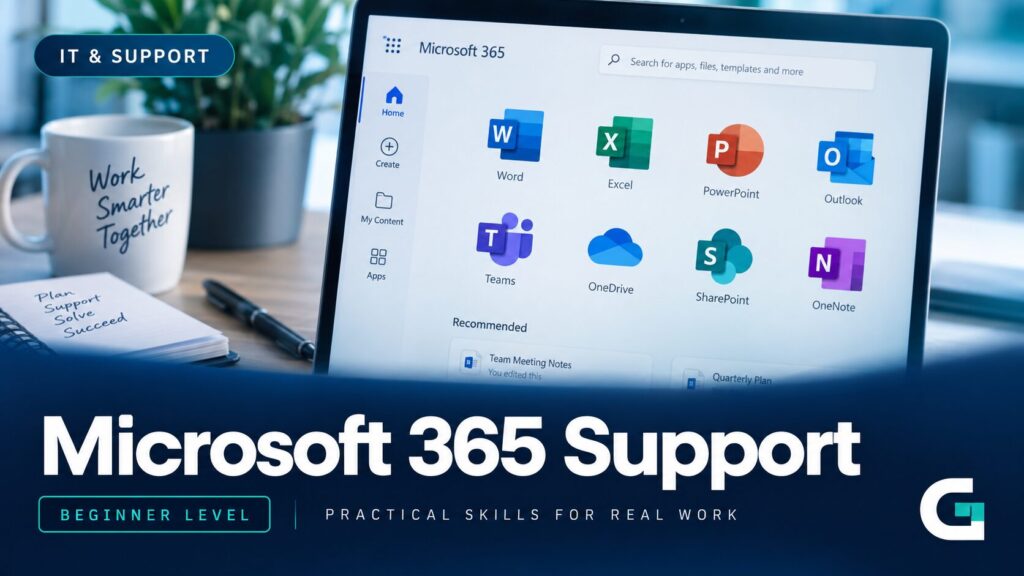
Microsoft 365 Support
- Lifetime access
- Downloadable Workbook & Toolkit
- Certificate of completion
- 70% pass mark, retakes allowed
Learn to support Microsoft 365 the way a real support desk actually works — sign-in, Outlook and Exchange, Teams, OneDrive and SharePoint, security and escalation — taught through one consistent set of realistic workplace tickets, not scattered tutorials.
Instant access after enrolment. Learn online, at your own pace.
Why Most Beginners Struggle to Break In
General computer confidence doesn't automatically translate into support-desk confidence. These are the three gaps that trip up most career changers before they ever take a real ticket.
Tutorials Don't Match Real Tickets
Most Microsoft 365 content is written for admins configuring a tenant, not for a first-line technician working through someone else's problem under time pressure.
No Access to a Live Tenant
Without a real organisation's Microsoft 365 environment to practise on, it's hard to build the pattern-recognition a support desk actually expects on day one.
No Repeatable Method
Knowing individual fixes isn't the same as having one method you can apply to a ticket you've genuinely never seen before — which is what every shift eventually requires.
What This Course Will Help You Do
By the end of the course, you'll be able to:
- Explain what Microsoft 365 is and how organisations actually use its core services
- Navigate Microsoft Entra ID and the Admin Center at a support-appropriate level
- Handle account, licensing, password and MFA requests correctly and safely
- Diagnose and resolve everyday Outlook and Exchange Online problems
- Diagnose and resolve everyday Microsoft Teams problems
Course Curriculum
9 modules, 33 lessons. Expand any module to see exactly what's inside it.
01Understanding Microsoft 365 and the Support Role▾
What Microsoft 365 actually is, how organisations really use it day to day, and where first-line support fits.
- What Microsoft 365 Actually Is
- How Organisations Actually Use Microsoft 365
- The Microsoft 365 Support Role
02Identity, Accounts and the Admin Center▾
Microsoft Entra ID, the Admin Center, and the licensing logic behind why a “broken” account often just needs a licence.
- Microsoft Entra ID Fundamentals for Support Staff
- A Support-Level Tour of the Admin Center
- User Accounts and Basic Account Management
- Licensing Fundamentals
03Authentication, Passwords and Sign-In Support▾
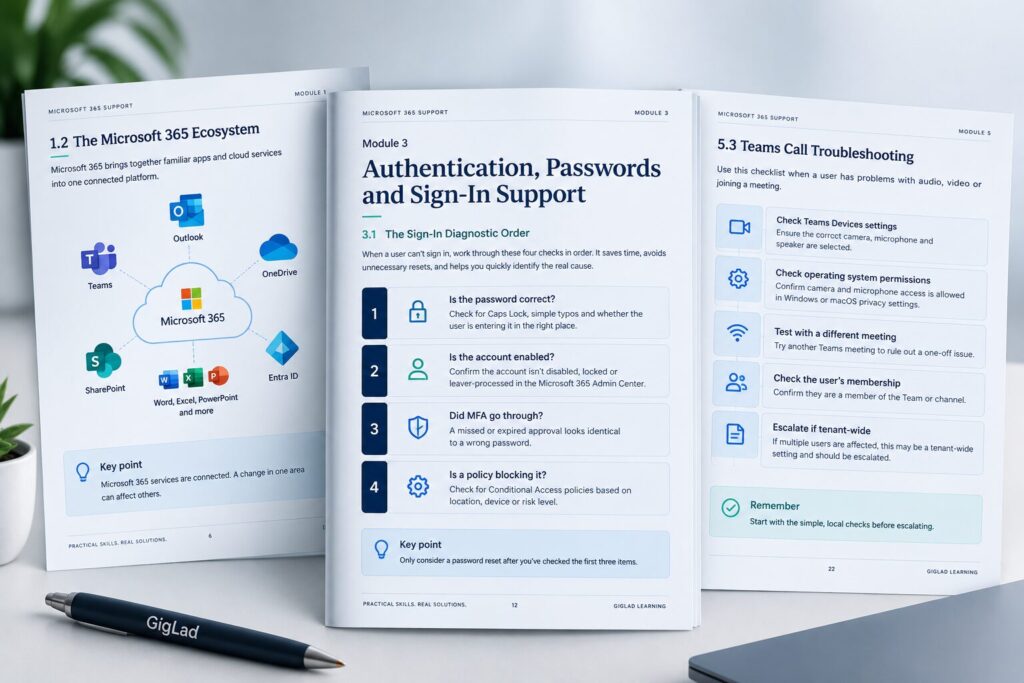
Resetting passwords properly, supporting MFA, and a repeatable four-check order for any sign-in failure.
- Password Resets Done Properly
- Supporting Multi-Factor Authentication
- Diagnosing Sign-In Problems Systematically
04Outlook and Exchange Online Support▾
How Outlook desktop, web and mobile all relate to one mailbox, and the fixes that actually work.
- How Outlook and Exchange Online Fit Together
- Common Outlook Desktop Problems and Fixes
- Mailbox and Mail-Flow Issues
05Microsoft Teams Support▾
How a Team is structured, where its files really live, and the most common meeting and call problems.
- What Microsoft Teams Actually Is
- A Team's Anatomy: Channels and Where Files Actually Live
- Common Meeting and Call Problems
- Guest Access and Everyday Teams Support Patterns
06OneDrive and SharePoint Support▾
The real difference between the two, reading sync icons correctly, and resolving sharing issues.
- OneDrive vs SharePoint: What's Actually the Difference
- Reading Sync Icons and Fixing File Sync Problems
- Sharing and Permission Problems
- SharePoint Site and Document Library Basics
07Microsoft 365 Apps, Installation and Activation▾
Licensing and device activation limits, the correct repair order, and common application faults.
- How Licensing and Device Activation Actually Work
- Installing and Repairing Microsoft 365 Apps
- Common Application Faults
- Managing Device Activations
08Security Awareness, Service Health and Escalation▾
Spotting a compromised account, checking genuine service health, and escalating properly.
- Recognising Phishing and Suspicious Activity
- Responding to a Suspected Compromised Account
- Checking Service Health Properly
- Escalation: When and How to Hand Off a Ticket
09Troubleshooting Methodology and the Ticket Lab▾
One repeatable five-step method, applied to a lab of unfamiliar tickets with no answers printed in the course — on purpose.
- A Repeatable Troubleshooting Method
- The Ticket Lab: Working an Unfamiliar Ticket End to End
- Practising the Method Yourself
- Documentation Habits That Actually Help
What's Included

The Online Course
9 modules, 33 lessons, built around one consistent workplace.
- Lifetime access
- A downloadable copy for your own personal use

A Worksheet for Every Module
Nine worksheets, one per module, in the order you'll actually meet them — for your own practice, not a repeat of the course's own examples. The one exception is Module 9: since the course deliberately prints no answers for its three Ticket Lab tickets, the Workbook carries the full worked reasoning for all three, so you can check your own thinking once you've genuinely attempted them.

Keep the Support Toolkit Beside Your Ticket Queue
Ten quick-reference checklists and four templates, gathered into one downloadable file.
- The five-step method, password reset, MFA support, sign-in diagnostics
- Outlook & mailbox, Teams meeting & call, OneDrive & SharePoint, Microsoft 365 Apps
- Compromised account response, and escalation
- Templates: an escalation note, a ticket documentation sheet, an Admin Center navigation map, and a master symptom-to-cause reference table

Certificate of Completion
Unlocks once you reach 100% required progress and pass the Final Assessment (70% pass mark).
Prove It, Then Get Your Certificate
- 1Complete all required lessons
- 2Complete all required practical activities
- 3Reach 100% required progress
- 4Pass the Final Assessment — 20 multiple-choice questions, 5 troubleshooting scenarios, 5 escalation-decision tickets (70% pass mark, retakes allowed)
- 5Your Certificate of Completion becomes available

Is This For You?
This is for you if you're:
- A career changer with general computer confidence but no professional IT support experience
- Applying for Help Desk, Service Desk or Junior Microsoft 365 Support roles
- Someone who's used Outlook, Teams or Office personally but never supported them for others
- Looking for practical, interview-ready knowledge rather than certification-level depth
Probably not for you if you're:
- An experienced Microsoft 365 administrator looking for deep tenant architecture, PowerShell administration or enterprise deployment content
GigLad Learning
GigLad Learning builds practical, scenario-based courses for real support roles — taught through one consistent workplace per course, not disconnected slides. Independent and not affiliated with Microsoft or any vendor named in its courses.
Trending Products









Frequently Asked Questions
Yes. It's built for people with general computer confidence but no professional IT support experience.
No prior support experience is required. Having used Outlook, Teams or Office personally helps, but the course doesn't assume it.
No. The course includes genuine Microsoft 365 screenshots throughout, and every hands-on activity gives you a described walkthrough to follow if you don't have tenant access of your own.
Through Learn.GigLad.com, under My Learning. Individually purchased courses come with lifetime access.
Ready to Start Learning?
Join the course and start building real Microsoft 365 support skills today.
Instant access after enrolment. Learn online, at your own pace.